To find and replace text in names of components, bodies, sketches, part numbers, joints or timeline objects:
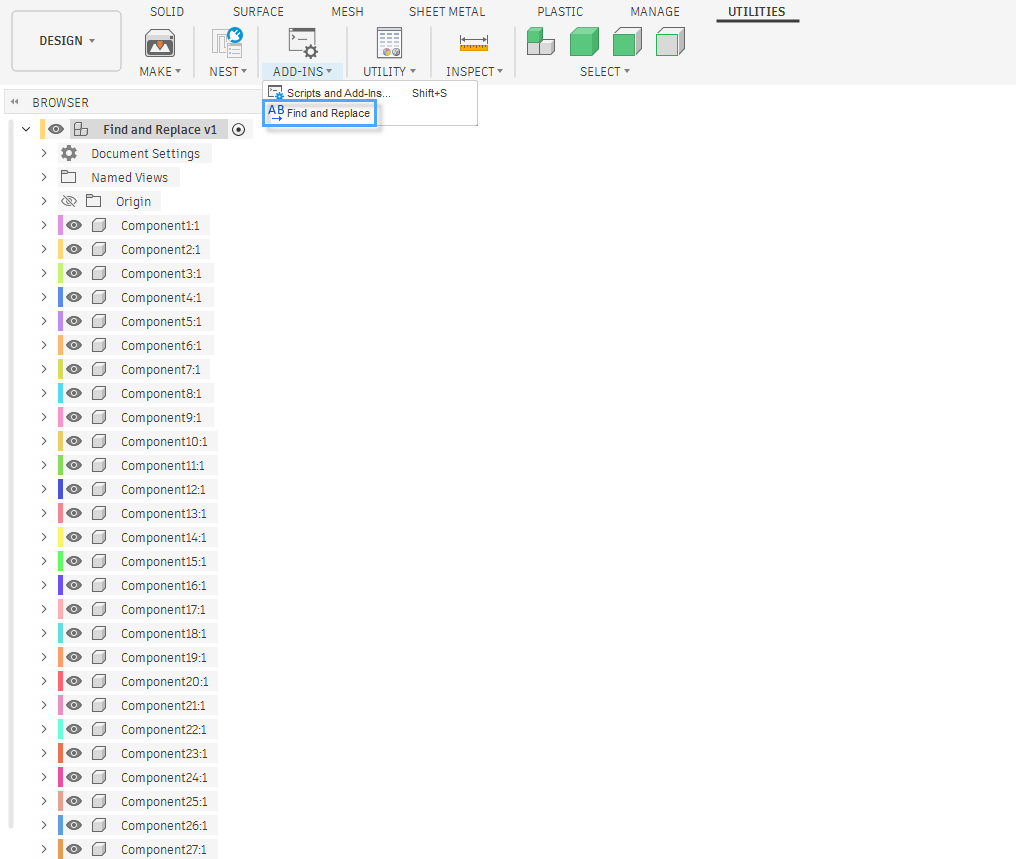
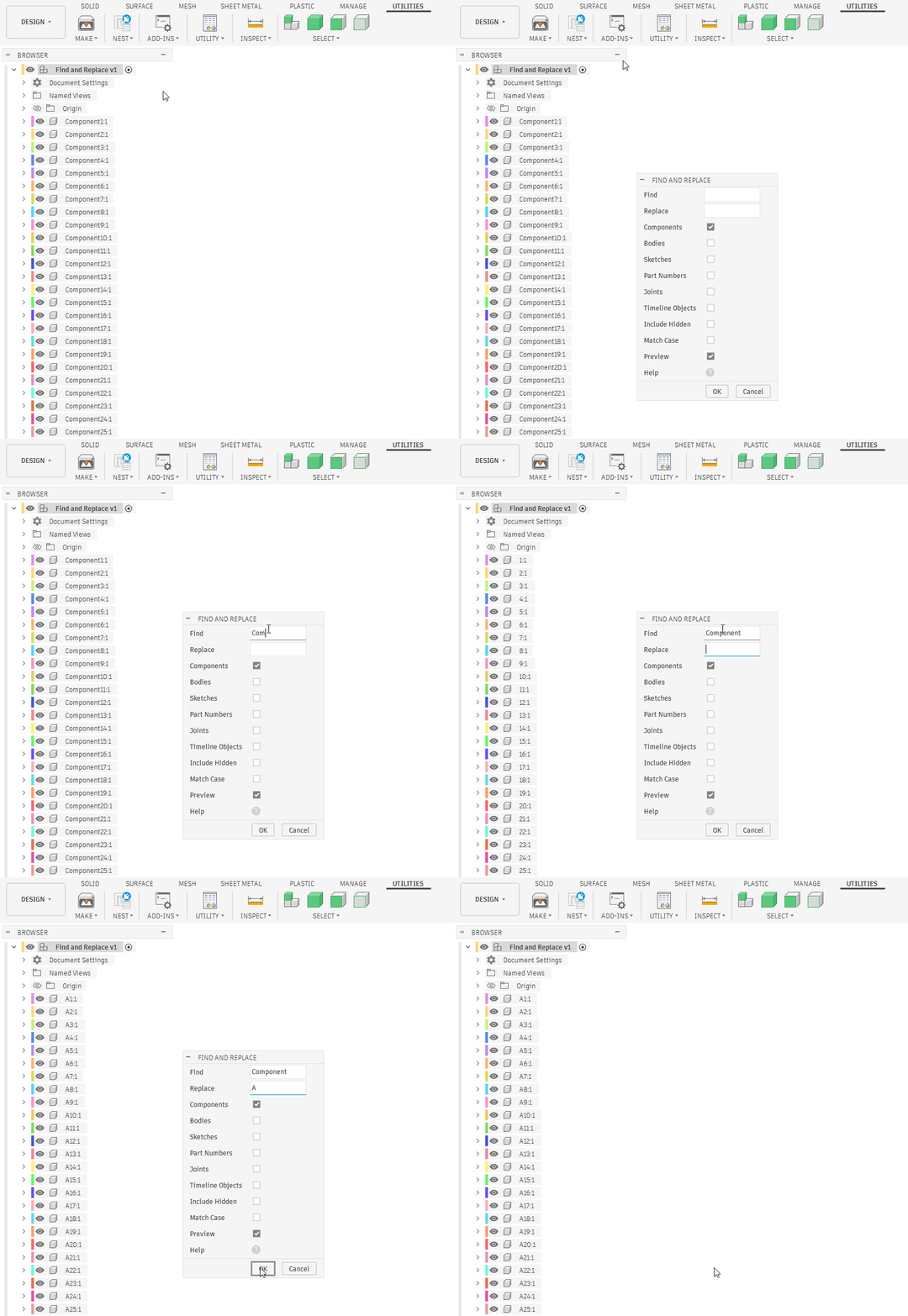
- Press the Find and Replace button in the Add-Ins panel.
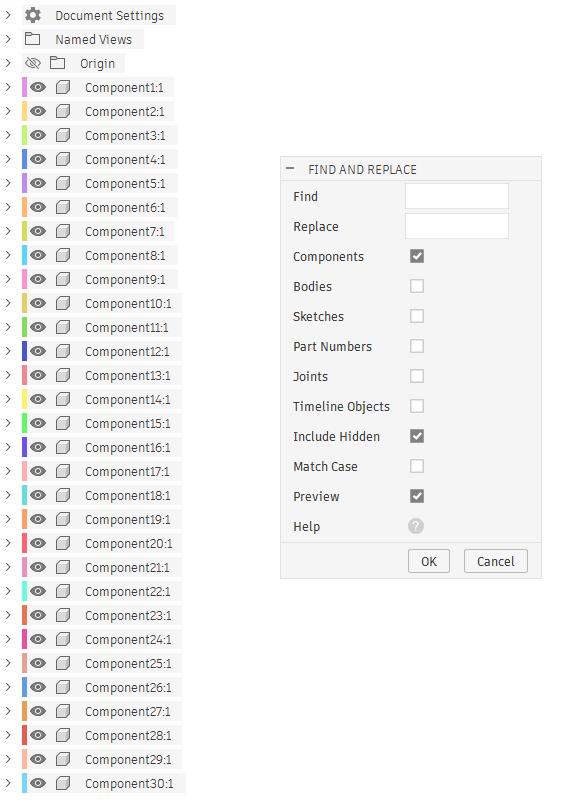
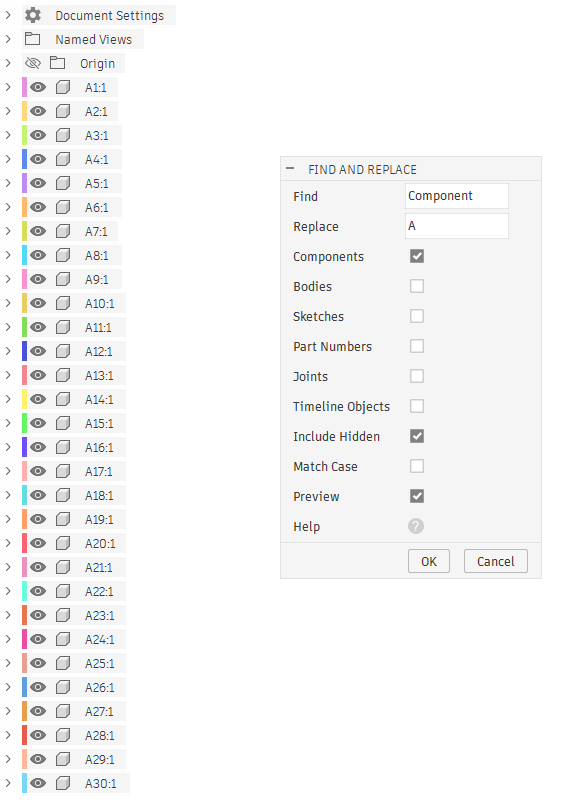
- Enter text to find and replace.
- Specify components, bodies, sketches, part numbers, joints or timeline objects.
- Check the Include Hidden checkbox to replace the text in names of hidden entities.
- Check the Match Case checkbox to replace the text with the same case.
- Check the Preview checkbox to preview the names.
- Press the OK button.